
FanFanMac 风扇控制与温度监控,常驻菜单栏
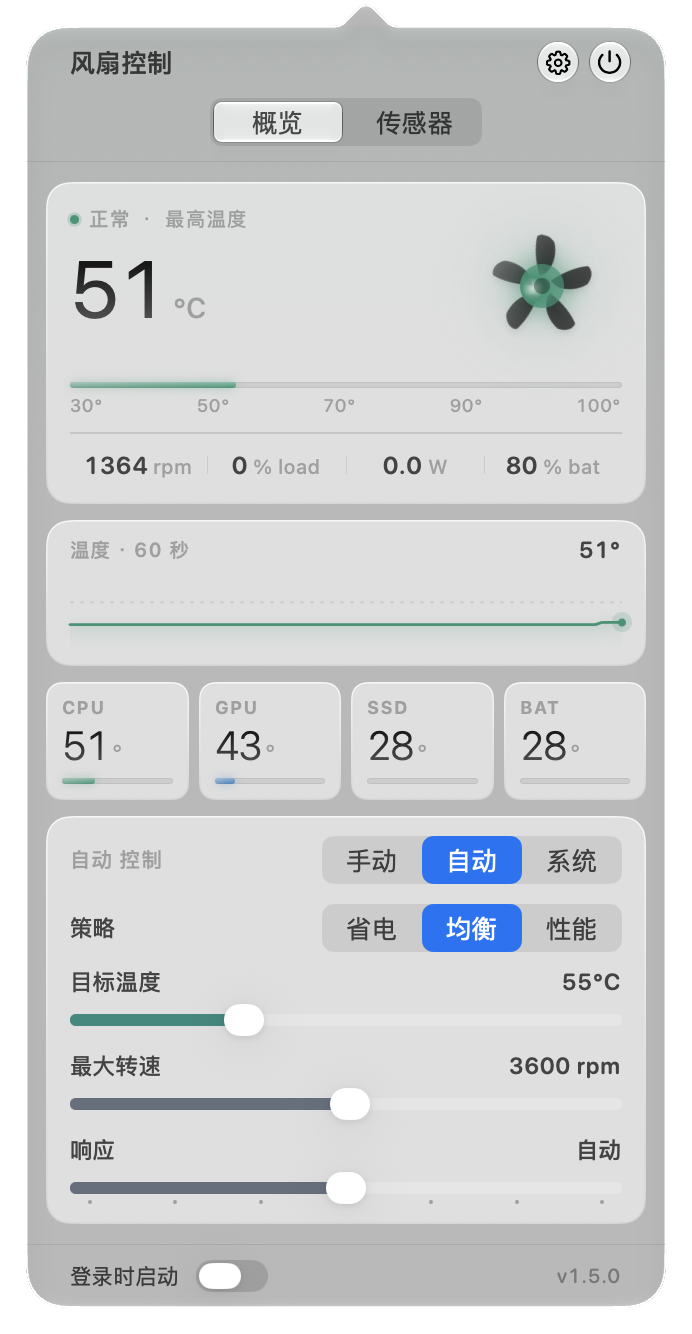
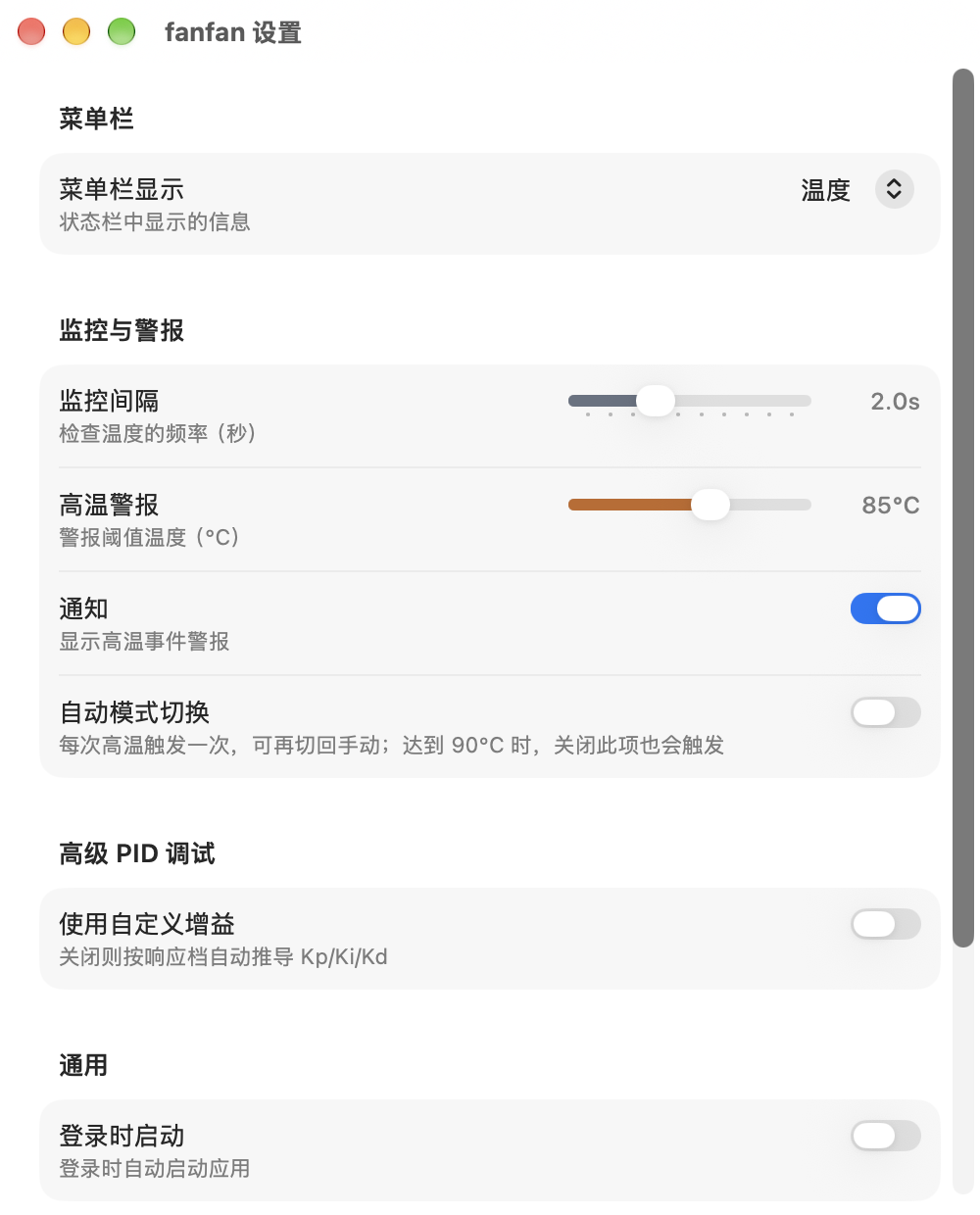
FanFan 常驻在菜单栏,显示 Mac 的温度和风扇转速。风扇可以手动定转速、按温度自动调,也可以交回给 macOS 自己管。没有第三方依赖。
安装
brew tap hoobnn/tap
brew install --cask fanfan
或者到 GitHub Releases 下载 DMG。第一次打开时点「安装助手」,再到「系统设置 › 通用 › 登录项与扩展」里允许 FanFan,不需要输管理员密码。
能做什么
- 显示风扇转速,以及 CPU、GPU、SSD、电池温度(看机型有哪些传感器),面板里有最近 60 秒的温度曲线。
- 三种风扇模式:手动设转速、按温度自动调速、交回系统固件控制。两个风扇的 Mac 可以分别设置。
- 自动调速可以改目标温度、最高转速和响应快慢,内置省电、均衡、性能三档。转速升快降慢,不会一会儿呼呼响一会儿又停。
- 菜单栏可以显示温度、功耗或风扇转速百分比。
- 温度超过设定值时发通知,可选同时切到自动调速。
- 界面支持简体中文、繁體中文、English、日本語、한국어、Deutsch、Français、Español。
常见问题
调风扇转速安全吗?
FanFan 只在风扇自己上报的最低和最高转速之间设置,超出范围的请求会被直接拒绝。App 崩溃、卡住超过 10 秒或退出时,风扇自动交回 macOS 控制。
M 系列芯片的 Mac 能用吗?
能。FanFan 是 Apple Silicon 和 Intel 通用版。MacBook Air 这类没有风扇的机型只显示温度。
和 Macs Fan Control、smcFanControl 比怎么样?
核心功能一样:读 SMC 传感器、设风扇转速。FanFan 免费开源(MIT),没有第三方依赖。
为什么要允许它在后台运行?
往 SMC 写转速需要 root 权限。为了让 App 本身不用 root 跑,FanFan 只注册了一个很小的辅助进程,macOS 会让你在「登录项与扩展」里允许一次。只看温度不需要任何权限。
FanFan: Mac fan control and temperature monitor
FanFan lives in the menu bar and shows your Mac's temperatures and fan speeds. Set a fixed fan speed, let it follow temperature, or hand control back to macOS. Free and open source (MIT), no third-party dependencies, for Apple Silicon and Intel Macs on macOS 26 or later.
brew tap hoobnn/tap
brew install --cask fanfan- Fan RPM plus CPU, GPU, SSD and battery temperatures, with a 60-second chart.
- Manual, automatic (temperature-based) or firmware control, per fan.
- Presets for Power Saving, Balanced and Performance, or your own PID gains.
- High-temperature alerts that can switch to automatic control.
- If the app quits, crashes or hangs for 10 seconds, the fans go back to macOS control.
Full documentation is in the English README.